intermediate 30 minutes
Claude Code MCP: add a server and check it works
Add an MCP server to Claude Code with claude mcp add. Pick a scope, check it with /mcp, and connect GitHub with a narrow token so Claude reaches your tools.
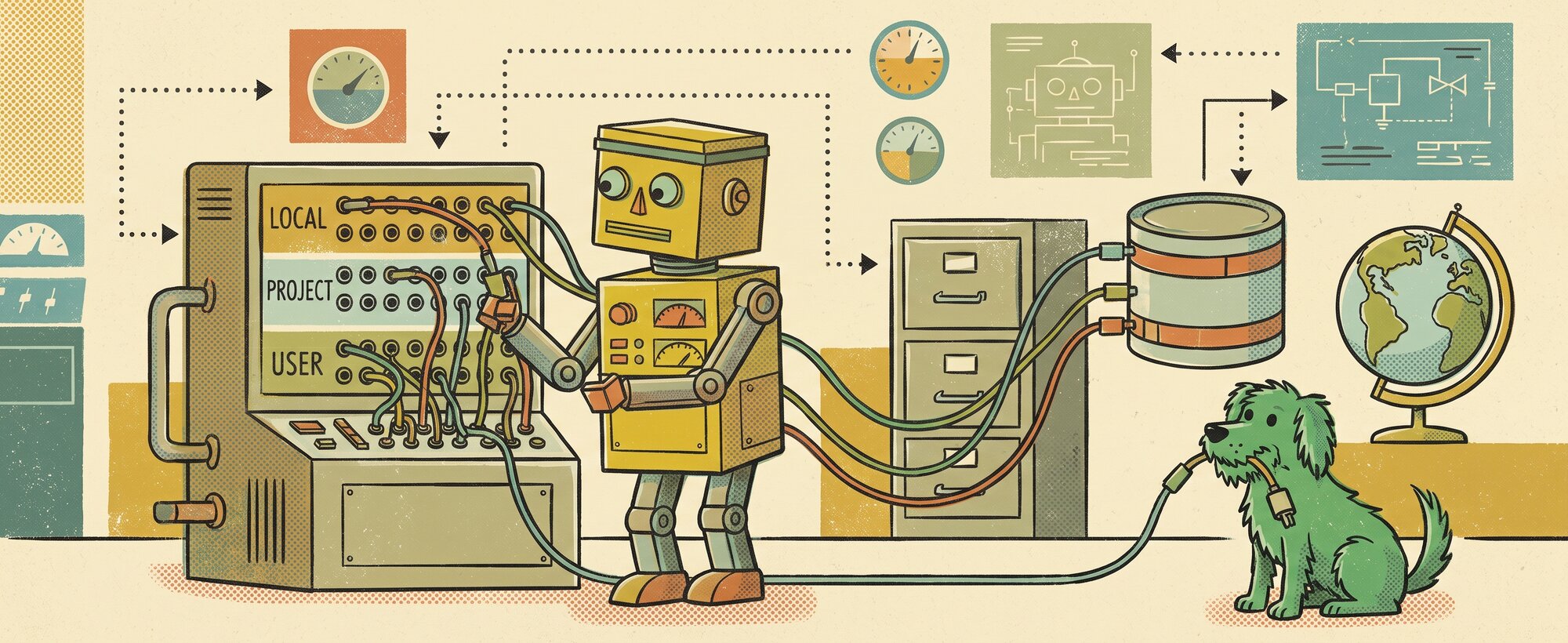
You'll be able to
- add an MCP server to Claude Code with
claude mcp add; - check that the server connected, using
/mcp; - choose a scope (local, project or user) for a server and explain who gets it;
- decide how much access to give a server, and remove one you don’t use.
- Who it’s for
- people who use Claude Code and are comfortable typing commands in a terminal. Other assistants support MCP too, but the commands here are Claude Code’s.
- Time
- about 30 minutes for the filesystem server and the exercise (an estimate).
You ask Claude Code why a signup keeps failing. It reads the code, explains the stack trace and refactors the module, and then you need to know whether the user exists in your database. Claude can’t check. It can’t check your project management tool or look up a customer record either, because everything outside your local files is out of reach. So you copy the row across from another tab yourself. How do you give Claude Code access to those tools, and limit what it can do with them?
The Model Context Protocol (MCP) lets Claude Code reach them. It’s an open standard that connects Claude Code to outside tools and services through servers. A server here is a small program that sits between Claude and a service.
Part 1 of 4 Learn
What an MCP server is
An MCP server is middleware. It sits between your AI and another piece of software, like a semi-permeable membrane: it offers your AI a set list of tools, the AI asks for one with the details of the job, and the server passes that request to the other software and brings the result back. Nothing gets through that the server doesn’t offer.
A server can offer three kinds of thing. Tools are actions Claude can take, such as “create issue” on a GitHub server. Resources are data Claude can read, such as a file in a repository. Prompts are pre-built instructions, such as a saved code-review request.
When Claude Code starts, it loads your configured MCP servers. It treats their tools the same way it treats its built-in tools, such as Bash (which runs commands), Read and Edit. If you’ve connected a GitHub server, Claude can create issues. If you’ve connected a database server, Claude can run queries. Claude doesn’t need special instructions: it sees the available tools and uses them when relevant.
A server either runs on your own computer or runs remotely. One on your computer suits tools that work on your own files, like the filesystem server below. For a remote one, Claude Code connects to its URL, which is how it reaches GitHub’s hosted server.
For the technically curious: stdio, HTTP and SSE
A server on your computer talks to Claude Code over stdio (standard input and output, the way two programs on one computer talk to each other). A remote server uses HTTP, which is what --transport http picks in the GitHub command below. An older remote type, SSE, is deprecated, so use HTTP where a service offers it (Anthropic's MCP docs (opens in a new tab), checked 5 November 2026).
Add your first MCP server
Claude Code’s built-in command for a server on your computer has this shape:
claude mcp add <name> -- <command> [args...]The -- separates Claude Code’s own options (such as --scope or --env) from the command that starts the server. Claude Code passes everything after it to the server as it is.
The filesystem server is a good first test. It gives Claude access to directories outside your current project, which helps if you work across several folders or keep reference documents elsewhere. You would add it like this:
claude mcp add filesystem -- npx -y @modelcontextprotocol/server-filesystem /Users/you/Documents /Users/you/DownloadsNode.js includes npx, the command that downloads the server and runs it. Each path you list is a directory the server will expose, and Claude can’t read anywhere else through it. Swap in directories you actually want Claude to reach.
Note
The paths in this guide are macOS paths. On Linux they look like /home/you/Documents. On Windows, the server’s own instructions run npx through cmd /c; see the filesystem server’s README (opens in a new tab) (checked 5 November 2026).
Servers load at startup, so after you add one, start a new Claude Code session and type:
/mcpfilesystem should be listed as connected. If /mcp shows it as failed or missing, check the paths you gave and check that node --version shows 24 or later. Asking Claude to list your Documents folder doesn’t prove the server works. Claude Code can often list a folder with its own built-in tools, so check /mcp instead.
claude mcp get filesystem shows how the server is saved. Saved by hand, the same server looks like this in a JSON file (a text format often used for settings):
{
  "mcpServers": {
    "filesystem": {
      "command": "npx",
      "args": ["-y", "@modelcontextprotocol/server-filesystem",
               "/Users/you/Documents",
               "/Users/you/Downloads"]
    }
  }
}
To share a server with a project, put a block like that in .mcp.json at the project root. Use paths that exist for everyone, for example relative to the project.
Connect GitHub, a hosted server
The filesystem server only reaches local files. The GitHub MCP server lets Claude create issues, manage pull requests, search repositories and read code, all within your normal conversation.
GitHub runs this server for you, so there’s nothing to install. Anthropic’s docs recommend creating a fine-grained personal access token (opens in a new tab) with access only to the repositories you want Claude to work on, then adding the server:
claude mcp add --transport http github https://api.githubcopilot.com/mcp/ --header "Authorization: Bearer YOUR_GITHUB_PAT"Replace YOUR_GITHUB_PAT with your token (PAT is short for personal access token). The command is from Anthropic’s MCP docs (opens in a new tab), checked 5 November 2026, and GitHub’s Claude install guide (opens in a new tab) shows an equivalent claude mcp add-json form. The command doesn’t check your credentials, so open /mcp afterwards and look at the github row.
Warning
At the default local scope, Claude Code saves your token in ~/.claude.json. Don’t add this server at project scope with the token typed in, because .mcp.json would put the token in your repository. To share the server with your team, write the header as "Authorization": "Bearer ${GITHUB_PAT}" in .mcp.json. Claude Code fills in ${VAR} in headers from an environment variable of that name, a setting each person keeps on their own computer, so everyone uses their own token.
With the server connected, Claude can act on requests such as “create a GitHub issue for the bug we just found” or “show me the open PRs on this repo”. If you already have the gh command-line tool installed, Claude can also run it directly. Anthropic’s cost guidance says CLI tools like gh use less context than MCP servers, because they don’t add a per-tool listing. If gh already does what you need, you may not need the GitHub MCP server.
Choose where Claude Code saves a server: local, project or user
claude mcp add saves the server at one of three scopes, and --scope picks one:
| Scope | Saved in | Who gets it |
|---|---|---|
local (the default) | ~/.claude.json, under this project | Only you, only in this project |
project | .mcp.json in the project root | Everyone who clones the project |
user | ~/.claude.json, under the top-level mcpServers key | Only you, in every project |
claude mcp add --scope user --transport http claude-code-docs https://code.claude.com/docs/mcpIf the same server name exists at more than one scope, local wins over project, and project over user. Claude Code uses the whole entry from the winning scope and doesn’t merge fields. Claude Code also asks for your approval before it uses a server from a project’s .mcp.json, and claude mcp reset-project-choices clears those answers.
Run claude mcp get <name> to see which scope a server is saved in.
Which scope?
Answer two questions about the server you want to add. The scope, the file and the command change to match.
Example: the filesystem server, which reads folders on your computer.
- Scope
local- Saved in
- ~/.claude.json, under this project
- Who gets it
- Only you, only in this project
Local is the default, so the command needs no --scope.
Command
claude mcp add filesystem -- npx -y @modelcontextprotocol/server-filesystem /path/to/your/folderWarning.
Put this in .mcp.json
{
  "mcpServers": {
    "github": {
      "type": "http",
      "url": "https://api.githubcopilot.com/mcp/",
      "headers": {
        "Authorization": "Bearer ${GITHUB_PAT}"
      }
    }
  }
}Then start a new Claude Code session and type /mcp to check the server shows as connected.
How much context MCP servers use
Connecting more servers costs far less context (how much text Claude can keep in view in one session) than it used to. Claude Code uses tool search by default. Only tool names and server instructions load at the start of a session, and Claude loads the full tool definitions when a task calls for them. Anthropic’s MCP docs say this means adding more servers “has minimal impact on your context window” (Scale with MCP tool search (opens in a new tab), checked 5 November 2026).
Run /context to see what is using space in your own session.
Tool results still count. Claude Code warns you when an MCP tool’s output is very large, so a server that returns whole tables can still fill your conversation.
When every tool loads upfront, the number of tools a server offers adds to the context it uses; the box below has the cases and an example.
For the technically curious: when every tool loads upfront, the output limits, and a big API
Three exceptions load every tool upfront. One is a model earlier than Opus 4 or Sonnet 4. Another is setting ENABLE_TOOL_SEARCH=false, and the third is a Microsoft Foundry deployment hosted on Azure. If you route Claude Code through an LLM gateway, the gateway has to pass the tool-search fields through.
Claude Code shows a warning when an MCP tool's output exceeds 10,000 tokens, and limits output to 25,000 tokens by default.
Cloudflare says its API has over 2,500 endpoints (separate actions a program can call), and that exposing each one as an MCP tool would consume over 2 million tokens. Its own server offers two tools, search() and execute(), which take around 1,000 tokens (Cloudflare's Code Mode post (opens in a new tab), checked 5 November 2026). Your own API is probably much smaller.
Every server you leave connected is also access you have granted, so remove the ones you’ve stopped using:
- Check what you’ve connected. Run
claude mcp listto see your servers and their health, and/usageon a Pro, Max, Ultra, Team or Enterprise plan to see how much of your recent usage each MCP server accounted for. - Remove what you don’t use.
claude mcp remove <name>deletes a server. Runclaude mcp logout <name>first if it used a sign-in, because removing a remote server deletes the tokens Claude Code stored but doesn’t revoke them at the service.
Build your own server or use an existing one
For common services such as GitHub, Slack, databases and web search, look for an existing server first. Use an actively maintained one if it covers most of what you need. Prefer servers that your vendor lists in its own directory, or that the organisation behind the service supports. Anthropic’s docs say to verify you trust each server before connecting it, because servers that fetch external content can expose you to prompt injection (instructions hidden in that content that try to steer the AI). The MCP Registry (opens in a new tab) lists published servers you can search.
Build your own when:
- Your service has no existing server. Internal APIs, custom databases, proprietary tools.
- You need tight permission scoping. An existing server might expose more actions than you want Claude to have. A custom server can expose exactly the three operations you trust.
- You’re wrapping a CLI tool. If you already have a working command-line tool for a service, wrapping it as an MCP server is often simpler than finding a standalone server.
If your API has good documentation and an existing SDK (a ready-made code library for it), a basic MCP server is usually a small project. The MCP documentation (opens in a new tab) covers the protocol and SDKs. If your service is complex and an actively maintained server exists, use that one.
Give each server the least access it needs
When you connect an external service, think about what Claude can do through that connection. A GitHub token with access to every repository and your organisation’s settings is more than Claude needs to create issues. A database connection with write access is more than Claude needs to answer questions about your data. The principle of least privilege applies here as it does anywhere in security:
- Use read-only database connections unless you want Claude to write data.
- Scope API tokens narrowly. Create dedicated tokens for MCP use with only the permissions the server needs.
- Separate read and write servers if your service supports it. You might want Claude to always be able to query your database, but only write to it in specific projects.
Claude Code asks for permission before it uses an MCP tool, unless you have allowed that tool. A rule such as mcp__github__* allows every tool from the github server, and mcp__github__<tool> allows one (Anthropic’s permissions docs (opens in a new tab), checked 5 November 2026). Loosen permissions bit by bit. If Claude is allowed a tool it shouldn’t use, a token with narrow access still limits what that tool can do.
When a server doesn’t connect
- A server shows as failed. Check the paths and
node --versionfor a server on your computer, then try/mcp reconnect <server>. - A server stopped working mid-conversation.
claude mcp listshows each server’s health. - A service Claude used to reach is now refused. Tokens expire, so check your credentials first.
Part 2 of 4 Practise
Try it on your own work
- Pick a folder you want Claude to read that is outside your current project, and add the filesystem server for it:
claude mcp add filesystem -- npx -y @modelcontextprotocol/server-filesystem /path/to/your/folder.Result the command finishes without an error and names the newfilesystemserver. - Start a new Claude Code session and type
/mcp.Resultfilesystemis listed as connected. If it shows as failed, check the path andnode --version. - Run
claude mcp get filesystemin your terminal.Result the output shows the command, the folder you gave it and the scope it was saved at, which islocalunless you chose another. - Ask Claude to list the files in that folder, then to read one.Result Claude names files from the folder and shows the contents of the one you picked, and it can’t read a folder you didn’t list.
- Decide the scope for your own server. Write one line saying who needs it (only you here, only you everywhere, or the whole team) and the matching scope.Result one line such as “only me, every project: user”, and a command with
--scopeto match. - Run
claude mcp listand name any server you haven’t used this month. Remove one withclaude mcp remove <name>.Result the list no longer shows the server you removed, or you’ve checked that you use every server on the list.
Part 3 of 4 Check
Check yourself
You add a server and ask Claude to list your Documents folder. It lists the files, so you decide the server works. Is that enough evidence?
No. Claude Code can often list a folder with its own built-in tools, so the answer doesn’t show the server was used. Type /mcp in a fresh session and check that the server is listed as connected.
A teammate needs the same GitHub server you set up. You add it at project scope with your token in the command. What goes wrong, and what do you do instead?
Project scope saves the server in .mcp.json, which gets committed, so your token ends up in the repository. Write the header with ${GITHUB_PAT} so each person supplies their own token from their environment. If the token was already committed, revoke it.
A server shows as failed in /mcp right after you added it. List two things you check first.
Check the paths you gave the server, and check that node --version shows 24 or later for the filesystem server. Then try /mcp reconnect <server>. For a hosted server such as GitHub, also check that the token hasn’t expired and has access to the repositories you need.
You want Claude to answer questions about your orders database. Which connection do you create, and why?
A read-only database connection, ideally with its own credentials. Claude only needs to read to answer questions. A connection that can’t write limits the damage a bad prompt or a mistaken command could do.
You connected eight servers last quarter and use two of them. What do you do, and why does it matter now that Claude Code loads MCP tools on demand?
Run claude mcp list, then remove the six you don’t use with claude mcp remove <name>. Tool search means unused servers cost little context. But each connected server is still access you have granted, and another service Claude could reach through a mistaken or manipulated prompt.
Part 4 of 4 Keep
Keep this
Connect only what you use, and give each connection the least access
- After you add a server, open
/mcpin a fresh session and check it shows as connected. - Save each server at the narrowest scope that works:
localfor yours alone,userfor every project,projectfor the whole team. - Give each token only the repositories, tables or permissions the server needs.
- Prefer servers from the vendor’s own directory, and check you trust a server before you connect it.
- Run
claude mcp listonce a month and remove any server you haven’t used.
In the Members Library (opens in a new tab), members can get a .mcp.json template that keeps tokens out of your repository. It comes with the command for each scope and a least-access token checklist.
Read next
- Setting Up Your First CLAUDE.md File: tell Claude when to use the tools you just connected.
- Claude Code /insights: audit how you work with it: the report can suggest an MCP server when Claude can’t reach a tool you use.
- What claude doctor and /doctor check: another built-in Claude Code check, this time on your setup.